
How to sync Veremark background checks into HiBob with the Veremark Integration


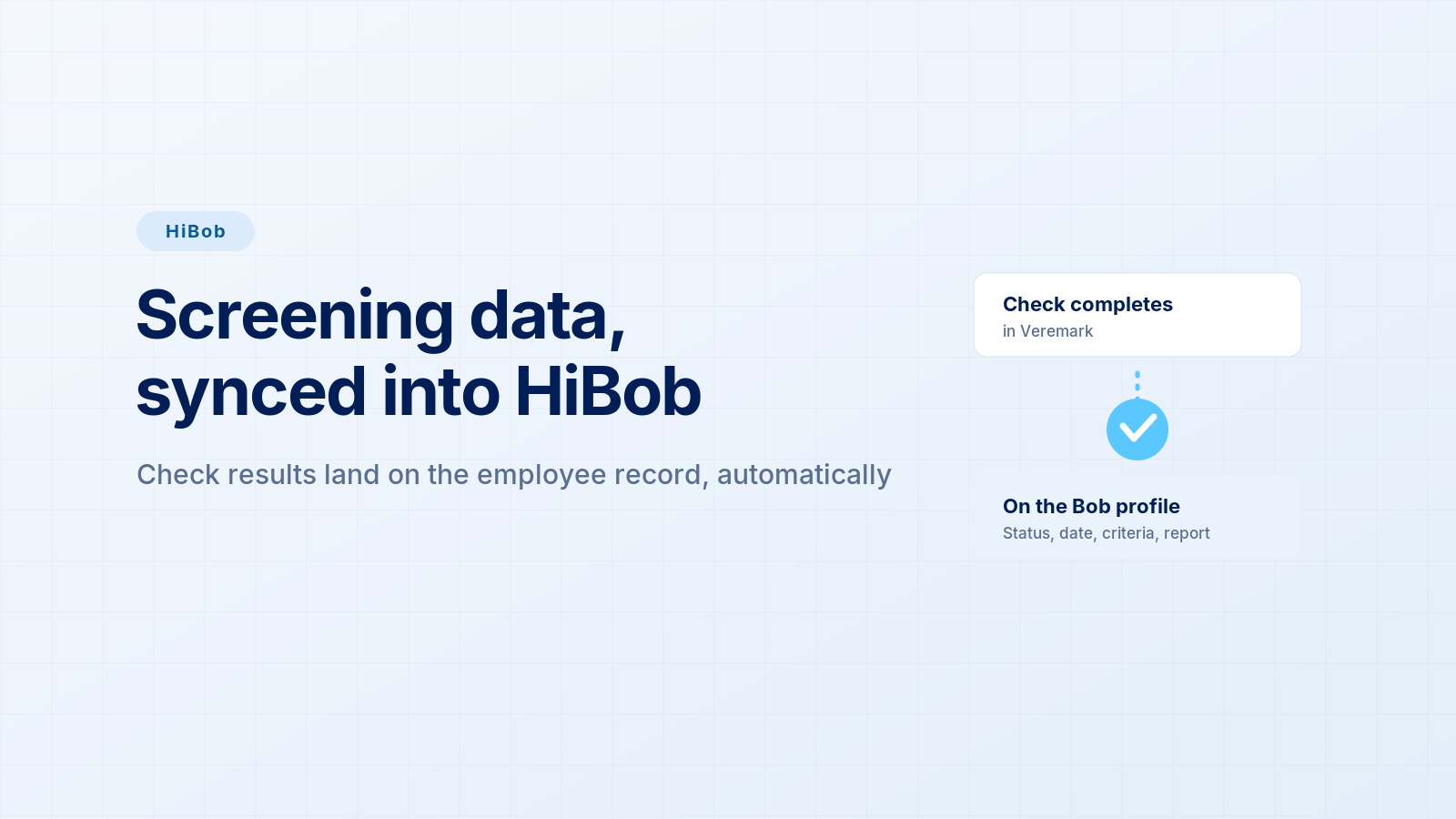
Background checks happen in one tool, and your HR system of record lives in another. A check completes in the screening tool, and unless someone copies the outcome across, HiBob never shows it. The Veremark HiBob integration closes that gap: when a check completes, the result syncs onto the matching employee in HiBob automatically.
This article covers what the integration does, what syncs, and how to switch it on.
What is the Veremark HiBob integration?
It's a data sync. When a Veremark background check completes, the status, completion date, criteria name and report URL are written automatically onto the matching employee in HiBob, into a custom "Veremark Checks" category. HiBob is your HR system of record, so this keeps screening status and the report link on the employee profile without anyone updating it by hand.
It's a one-way sync, from Veremark into HiBob, and it's listed on the HiBob Marketplace. You can run it alongside an ATS integration: order checks in your ATS, and use HiBob to keep the HR record current.
What syncs to HiBob?
When a check completes, these fields write to the employee record:
- Veremark status (text)
- Veremark check completed (date)
- Veremark criteria name (text)
- Veremark report URL (text, links to the full report in Veremark)
The role is included too. The report URL opens the full report in Veremark for anyone with access.
How does the sync work?
The flow is a one-time connection, then automatic syncing.
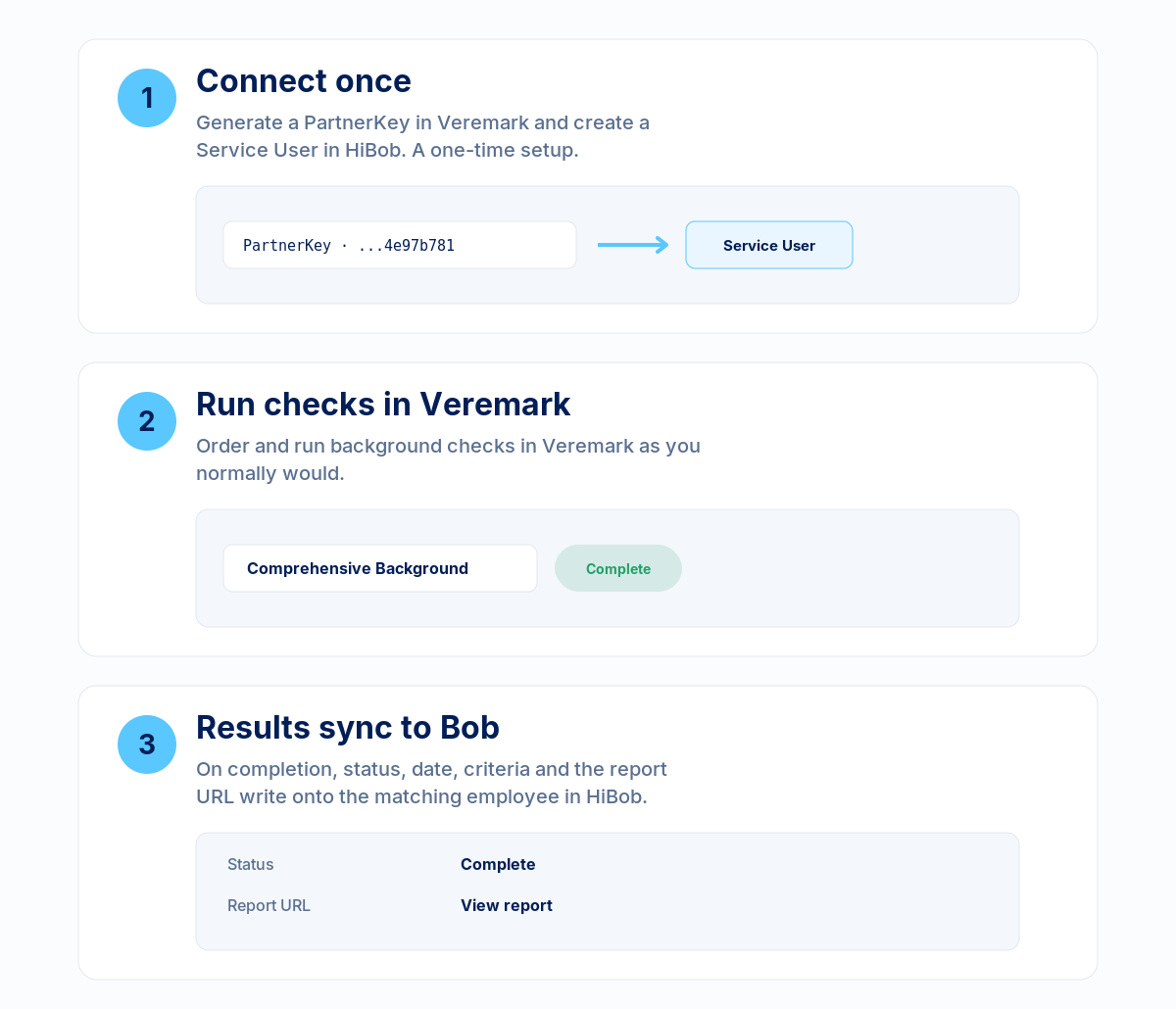
Connect once. Generate a PartnerKey in Veremark and create a Service User in HiBob, then share the Service User's ID and token with Veremark. This is the only setup step.
Run checks in Veremark. Order and run background checks as you normally would. When a check completes, the sync is triggered.
Results sync to HiBob. The status, completion date, criteria name and report URL are written to the matching employee, identified by email. No manual updating.
What changes for your HR team
The difference is the record keeping itself current.
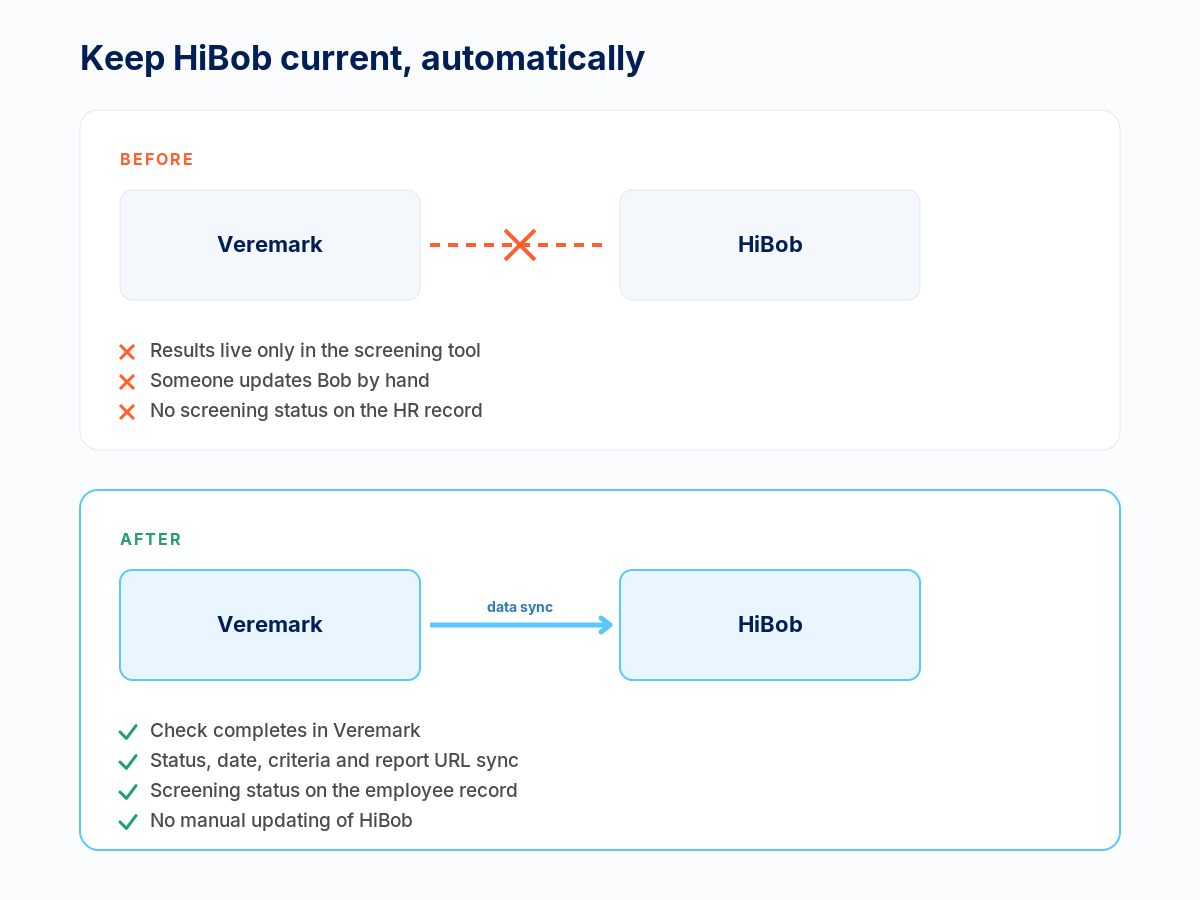
Without the integration, screening results live in a separate tool and someone has to update HiBob by hand, or the HR record simply never reflects them. With the integration, the status and report link appear on the employee profile on their own, so HR has a current, audit-ready view of who's been screened.
How do you switch it on?
It's self-serve, with no engineering.
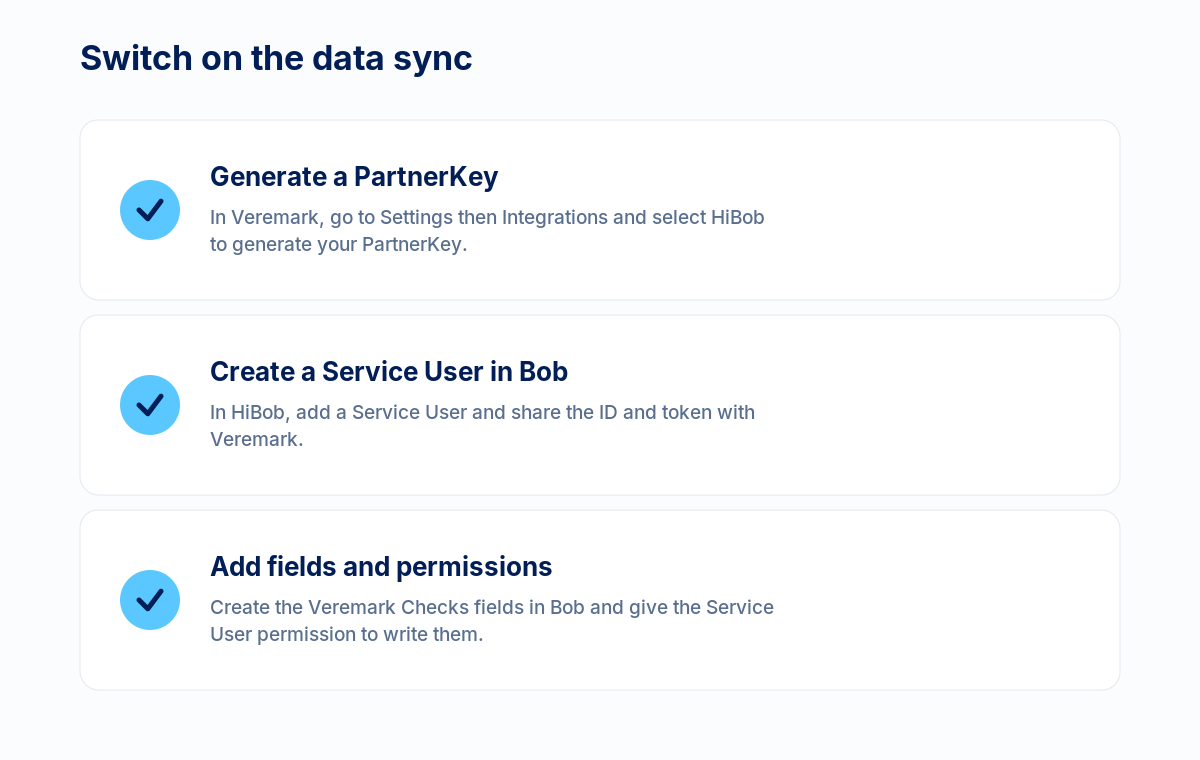
In Veremark, go to Settings then Integrations and select HiBob to generate your PartnerKey. In HiBob, create a Service User and share its ID and token with Veremark, then add the Veremark Checks custom fields and give the Service User permission to write them. One thing to note: the matching employee must already exist in HiBob when the check completes for the data to land.
Beyond the point of hire
A check at hire tells you who someone was on day one. Veremark keeps that record current with re-screening and continuous monitoring on the same platform, and the latest status syncs back to HiBob, so the HR record stays accurate over time.
Frequently asked questions
Can we order checks from inside HiBob?
No. This is a data sync, not an ordering tool. You run checks in Veremark, or order from your ATS, and the results sync onto the employee in HiBob.
Is it two-way?
No. It's a one-way sync of completed-check data from Veremark into HiBob.
What if the employee isn't in HiBob yet?
The matching employee profile must exist in HiBob when the check completes for the data to sync.
Do we need to build anything?
No. It's self-serve config: a PartnerKey in Veremark and a Service User in HiBob. Nothing to host.
How is candidate data kept secure?
The sync uses a HiBob Service User scoped to the fields it needs. Veremark is ISO 27001 certified and PBSA accredited.
See it for yourself
Speak to our team about running your check packages inside HiBob or if you are keen on scoping an enterprise integration.



.png)
FAQs

This depends on the industry and type of role you are recruiting for. To determine whether you need reference checks, identity checks, bankruptcy checks, civil background checks, credit checks for employment or any of the other background checks we offer, chat to our team of dedicated account managers.
Many industries have compliance-related employment check requirements. And even if your industry doesn’t, remember that your staff have access to assets and data that must be protected. When you employ a new staff member you need to be certain that they have the best interests of your business at heart. Carrying out comprehensive background checking helps mitigate risk and ensures a safer hiring decision.
Again, this depends on the type of checks you need. Simple identity checks can be carried out in as little as a few hours but a worldwide criminal background check for instance might take several weeks. A simple pre-employment check package takes around a week. Our account managers are specialists and can provide detailed information into which checks you need and how long they will take.
All Veremark checks are carried out online and digitally. This eliminates the need to collect, store and manage paper documents and information making the process faster, more efficient and ensures complete safety of candidate data and documents.
In a competitive marketplace, making the right hiring decisions is key to the success of your company. Employment background checks enables you to understand more about your candidates before making crucial decisions which can have either beneficial or catastrophic effects on your business.
Background checks not only provide useful insights into a candidate’s work history, skills and education, but they can also offer richer detail into someone’s personality and character traits. This gives you a huge advantage when considering who to hire. Background checking also ensures that candidates are legally allowed to carry out certain roles, failed criminal and credit checks could prevent them from working with vulnerable people or in a financial function.
Trusted by the world's best workplaces


APPROVED BY INDUSTRY EXPERTS
.png)
.png)


and Loved by reviewers


Transform your hiring process
Request a discovery session with one of our background screening experts today.